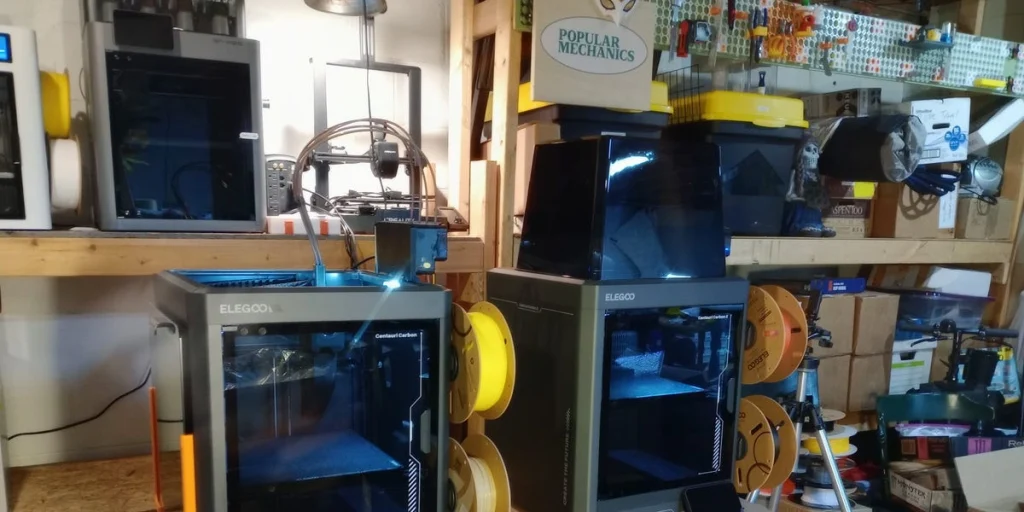
When the original Elegoo Centauri Carbon 3D printer debuted in early 2025, it created quite a stir in the 3D printing community by bringing the price of a fully enclosed printer below $300. However, it had its limitations, primarily being a single-color printer. Fans of the Centauri Carbon anxiously awaited the promised multifilament upgrade. After a long wait, Elegoo finally announced the launch of two options in early 2026: the “Canvas” multifilament upgrade and the new model, the Centauri Carbon 2, which includes upgraded features such as automated chamber venting and an enhanced nozzle.
Although the Centauri Carbon 2 is still limited to single-filament printing, users can purchase the Canvas nozzle separately or as part of a “Combo” with the new printer. The main question for potential buyers is whether to upgrade from the original Carbon or purchase the new model directly.
Key Features and Improvements of Centauri Carbon 2
- Multifilament Capability: The Carbon 2 can handle up to four filaments thanks to the Canvas feeder upgrade, which is included with this model.
- Enhanced Filament Management: The Canvas feeder comes with an RFID reader to automatically detect filament color and type, making changes easier and reducing user error.
- Improved Design and Efficiency: The new model features a streamlined design for better usability and has a plastic dome that reduces noise and fume output. It also includes a smart grille for more effective ventilation, allowing it to print high-temperature materials more effectively.
Performance Comparison: Centauri Carbon vs. Carbon 2
Print Quality
Both printers produce high-quality prints, but users noted that the Carbon 2’s results are slightly smoother with fewer visible layer lines, especially for detailed prints.
Ease of Use
While both models are user-friendly, setting up the Canvas on the original can be a bit more complex than the straightforward process of the Carbon 2. The Carbon 2 is also easier to operate thanks to its more advanced user interface.
Print Speed
Interestingly, the original Centauri Carbon prints faster—about 10% more so—despite the newer model having the same specifications regarding speed. This is attributed to the original’s quicker filament switching times.
Noise Levels
The Carbon 2 operates much more quietly thanks to design changes, which may be essential for users sensitive to noise.
Material Range
The Carbon 2 can handle a broader range of high-temperature materials like ABS and Nylon, achieving nozzle temperatures of up to 350 degrees Celsius compared to the original’s maximum of 320 degrees.
Connectivity
Both models face connectivity issues, frequently losing their network connection. However, the Carbon 2 comes with an app for easier remote monitoring of prints, although it lacks the functionality to start prints remotely.
Recommendations
For those who already own the original Centauri Carbon, the economical choice would be the Canvas upgrade for $55, which enhances multifilament printing capabilities without upgrading to the new model. However, for new buyers, the Centauri Carbon 2 presents a more robust machine with better features and flexibility for just about $450.
Ultimately, both printers stand out in their price range, and new advancements successfully improve the overall printing experience.