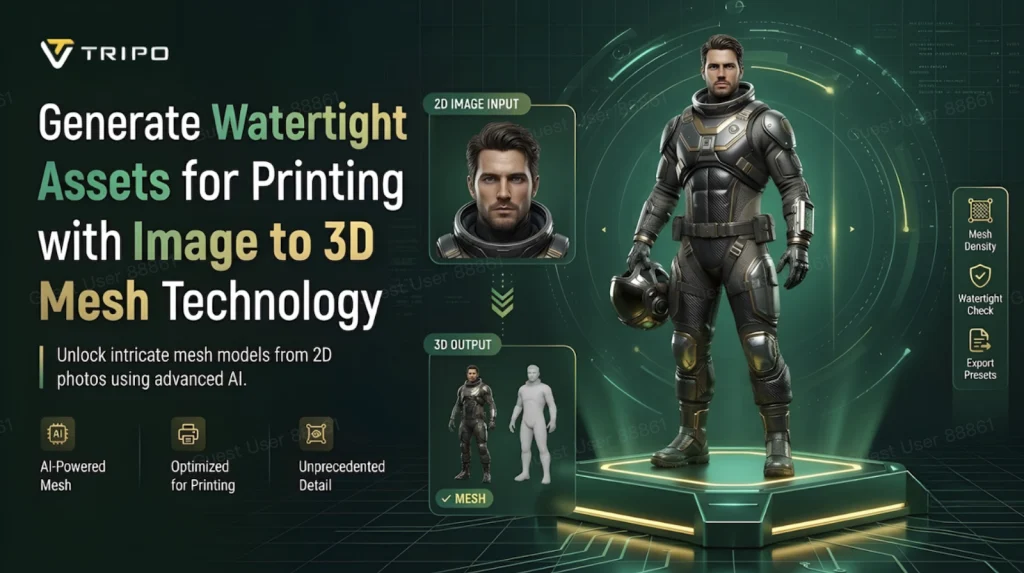
Clean and complete geometry is essential for successful 3D printing. A watertight mesh reduces common printing issues and enhances manufacturing reliability. Tripo 3D specializes in converting images into 3D-printable files while preserving topology and surface consistency, which supports durability, dimensional accuracy, and effective slicing performance. Ensuring closed geometry minimizes preparation time for fabrication and maintains mesh consistency for reliable outputs.
Understanding Watertight Mesh Integrity in Image to 3D Generation
A watertight mesh is defined by a seamless surface that contains no gaps or holes. This geometry must adhere to manifold rules for printable models. Open edges can lead to misinterpretations during slicing, which may result in incomplete toolpaths, missing layers, or weak print areas. Tripo 3D reconstructs object volumes using shape relationships and depth cues from the provided images to form solid designs rather than fragmented surfaces. Important geometry validation checks are performed before exporting to catch errors early and prevent manufacturing issues later.
How Tripo 3D Builds Print-Friendly Geometry from Images
Using AI techniques, Tripo 3D interprets depth, shape, and spatial information from image inputs through both single-view and multi-view approaches. The model generator aims to maintain shape accuracy and produce closed surfaces, preserving significant features and proportions of the object. This organized topology allows for easier editing and refinement in external modeling software, with a focus on generating clean geometries for subsequent fabrication processes.
Common Mesh Defects That Affect 3D Printing Results
Various defects such as surface gaps, non-manifold edges, floating geometry, and thin walls can undermine print quality and pose production risks. Issues like structural conflicts from inside face intersections and small regions exceeding printer capabilities can arise. Identifying defects early during the image to 3D model generation process greatly enhances print reliability and part quality.
Steps to Generate Watertight Assets for Printing
-
Access Image and Prepare Base Mesh
- Sign up for Tripo 3D and navigate to the "Model" tab and select "HD Model."
- Upload an image using drag-and-drop or the "Upload" button.
-
Configure Mesh Accuracy and Generate
- Choose options under the "General settings" tab, including AI generation and textured quality.
- Select desired topology (Quad/Triangle) and set the polycount.
- Generate the model by selecting the quality and clicking "Generate Model."
-
Verify Print Readiness and Export
- Review your model using various view styles and refine your design.
- Confirm the print readiness and choose "3D Print" or proceed to export by selecting format, resolution, and filename.
Essential Mesh Integrity Elements for Reliable Printing
- Closed Surface Boundaries: Prevents print failures by ensuring successful slicing.
- Uniform Wall Thickness: Enhances structural integrity and durability.
- Connected Geometry: Maintains cohesion and prevents free-floating parts.
- Controlled Polygon Distribution: Improves mesh stability while preserving shape attributes.
- Optimized Surface Continuity: Ensures smoother layer generation.
- Topology Consistency: Facilitates easier post-processing.
Preparing Tripo 3D Assets for Slicing and Manufacturing
To ensure streamlined fabrication, it’s vital to check for mesh closure when exporting from Tripo 3D. Identifying holes or disconnected regions prevents issues during printing. The polycount should align with the desired print scale, and additional density may be needed for complex models. Different printing technologies have unique optimization strategies, and choosing appropriate export settings helps maintain integrity throughout the manufacturing process.
Choose the Right Printing Method for Tripo 3D Assets
Different 3D printing techniques require different mesh specifications. After validating geometry in Tripo 3D, select a compatible printing process. For instance, FDM printers favor consistent wall thickness, while resin printers excel at capturing fine details. Reviewing model orientation, scale, and support requirements improves print efficiency.
Balancing Detail Preservation with Printable Geometry
A balance between visual fidelity and practical constraints is critical during fabrication. Tripo 3D effectively keeps essential details from reference sources while producing usable 3D assets. Excessive detail might complicate processing and slow down workflows. Strategic optimization fosters easier slicing and improves predictability in print outcomes.
Conclusion
Watertight meshes are crucial for successful 3D printing. By ensuring strong geometrical integrity, Tripo 3D enhances printing reliability and manufacturing consistency. Clean surfaces, connected geometries, and validated meshes contribute significantly to fabrication success, simplifying preparation and minimizing interruptions in the workflow. High-quality assets ready for printing can be achieved through careful attention to mesh integrity.