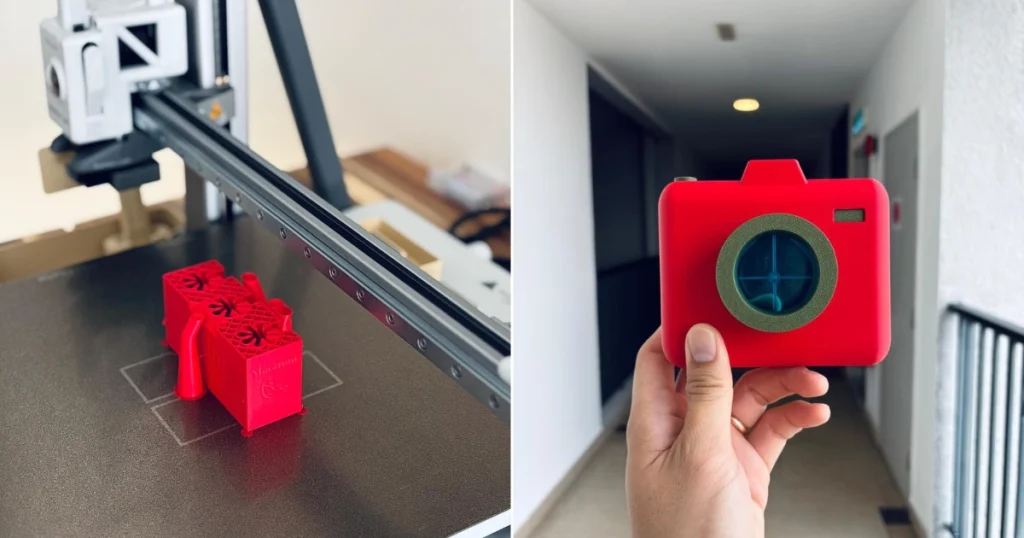
A four-week trial of the Bambu Lab A2L showed that 3D printing can be rewarding for beginners, but it takes patience, space and a willingness to troubleshoot.
The A2L is a relatively large entry-level printer, with a 330 × 320 × 325mm build area. The printer alone costs RM2,099, while a bundle with the AMS lite—which enables multicolour printing—costs RM2,599 through 3DExpress.my.
Plan where it will go
Before the printer even arrived, the first challenge was finding a place for it. The machine measures 544 × 529 × 505mm and weighs 12.8kg, not including the AMS lite and filament. Because its print bed moves back and forth, it also needs extra clearance at the front and back, as well as room for cables and filament tubes.
A sturdy, deep table is important. The printer is also open, leaving hot and moving parts exposed, so its location deserves extra thought in homes with children.
Assembly was manageable, but it required careful attention. Reading the manual and watching setup videos before starting can help—and it’s best not to throw away any packaging until everything is working.
Expect some troubleshooting
The first single-colour prints went smoothly, including a small Benchy boat and practical accessories for the printer. Problems began when the AMS lite was connected for multicolour printing: the machine repeatedly produced errors partway through jobs.
The printer’s upgraded extruder can detect feeding issues, such as tangled filament or plastic buildup near the nozzle. But when no filament came out at all, it took several hours of checking the feed mechanism, cutter, nozzle and fan to find the cause: the nozzle had not been fitted correctly.
The experience showed that beginners don’t need to understand every component in advance, but should be prepared to follow troubleshooting instructions and spend time investigating failed prints. The printer’s on-screen QR codes link to support information, and 3DExpress.my offers WhatsApp support.
There’s plenty to make—but prints take time
The A2L’s larger build area makes it possible to print bigger objects or several smaller ones in a single batch. It also includes vibration-reduction features intended to help keep larger prints stable.
The print quality was generally pleasing, though parts designed to fit together—such as printed screws—sometimes needed adjustment. Finding designs was easy through Bambu Handy and MakerWorld, where users share projects and variations. The app can also be used to resize designs or add text, and the testers experimented with AI tools to help create models from scratch.
Multicolour printing takes longer because the AMS lite changes colours through one nozzle, cutting and loading filament with every change. This also creates waste. Printing separate pieces in different colours and assembling them afterwards may be more efficient. The testers also preferred not to leave prints running overnight, in case something went wrong unnoticed.
Printing isn’t automatically cheaper
Filament costs can add up, especially when buying different colours and finishes. One tray used about RM20 worth of filament, before accounting for electricity or failed attempts. Material use varies by design and infill, so it’s worth checking the estimated amount before assuming a printed item will cost less than a ready-made one.
After four weeks, the household had printed toys, personalised gifts, organisers, trays, photo holders and working guitar picks. The setup required patience, and buyers should budget for materials and a suitable table as well as the printer. But once the early hurdles were past, the A2L let two complete beginners make useful, customised items for their family.
More details are available on the Bambu Lab A2L website.